
New bloggers often spend more time choosing tools than writing posts. It's easy to see why: every blogging guide recommends a stack of paid software. The truth is that a beginner blog needs only a handful of tools, and most of the important ones are free.
This list covers the best blogging tools by job: building your blog, SEO, keyword research, writing, design, email and Pinterest. For each, you'll see what it does and whether there's a free option.
How we checked: free plan details come from each company's site or recent pricing reviews (cited where we quote a number), checked in October 2026. Pricing changes often, so confirm before you sign up. Dollarberg has no affiliate relationship with these tools.
Top 7 Quick Picks
WordPress.org: the most flexible blogging platform.
Google Search Console: see how Google finds your posts. Free.
Google Analytics: understand your traffic. Free.
Canva: pin images, featured images and graphics.
Kit (formerly ConvertKit): email list with a generous free plan.
A grammar checker: Grammarly or your editor's built-in checks.
Pinterest Business account: free traffic for many niches.
Blogging Platforms and Hosting
1. WordPress.org
Free, open-source software that powers a large share of blogs. You need hosting and a domain, but you own everything. Our guide to starting a successful blog walks through setup.
2. Hosted Platforms (WordPress.com, Squarespace, Wix)
Easier setup and maintenance, with less flexibility and monetization limits on some plans.
3. Web Hosting
Shared hosting is enough for most new blogs. Choose a host with good uptime, support and simple WordPress installation, and read the renewal price, not just the intro offer.
SEO and Analytics Tools
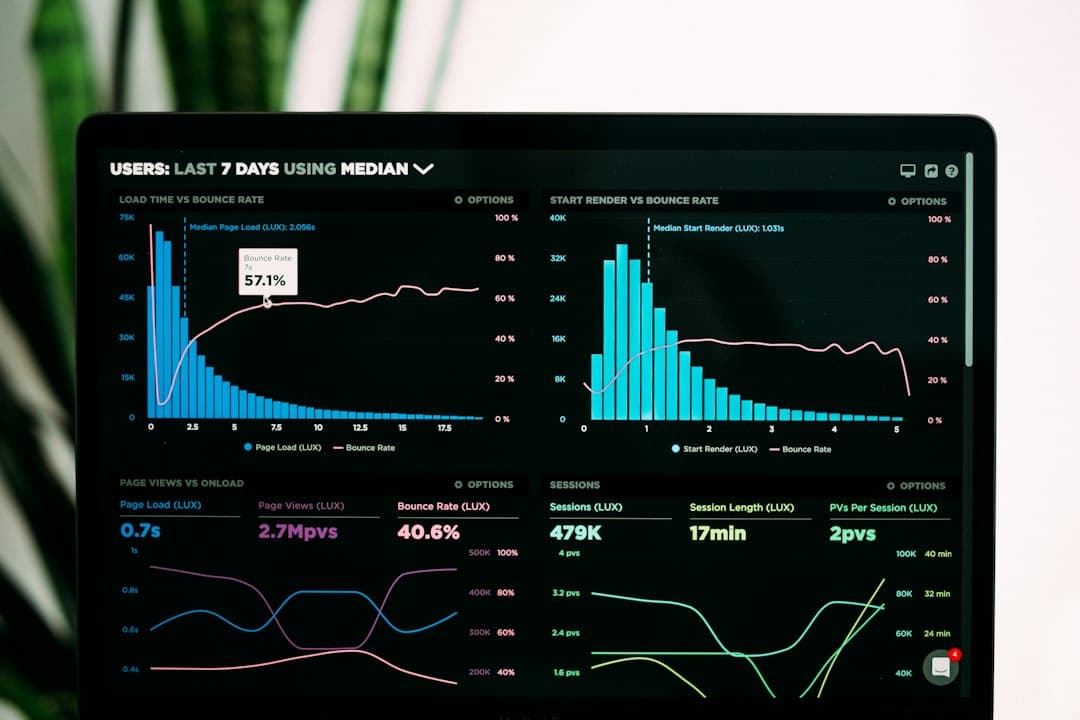
These free tools from Google show how people find and use your blog.
4. Google Search Console
Shows which searches your posts appear for, clicks, and indexing problems. Essential and free.
5. Google Analytics
Tracks visitors, traffic sources and popular posts. Free.
6. An SEO Plugin (Yoast SEO or Rank Math)
Helps with titles, meta descriptions, sitemaps and on-page basics in WordPress. Both have free versions.
7. Ahrefs Webmaster Tools
A free site audit and backlink overview for sites you own.
Keyword Research Tools
8. Google Autocomplete and "People Also Ask"
Free, and shows exactly how people phrase questions.
9. Pinterest Search Bar
Type a topic and note the suggestions; they reflect what Pinterest users search. Essential for Pinterest-driven blogs.
10. Paid Keyword Tools
Tools like Ahrefs, Semrush and Keysearch show search volume and competition. Worth paying for once you're publishing consistently.
Writing and Editing Tools
11. Google Docs
Free, auto-saving drafts you can share with editors.
12. Grammarly or a Similar Checker
Catches typos and unclear sentences. Free versions cover the basics.
13. Hemingway Editor
Highlights long, hard-to-read sentences.
Design Tools
14. Canva
Pin images, featured images and graphics with templates. Free plan available. If you later sell your own designs, follow Canva's rules; see how to sell Canva templates.
15. Free Stock Photo Sites
Unsplash and Pexels offer free photos under their own licenses. Original photos are better when you can take them.
16. Image Compression
Tools that shrink image file sizes keep your pages fast. Many WordPress plugins do this automatically.
Email Marketing Tools
17. Kit (Formerly ConvertKit)
Recent reviews report Kit's free Newsletter plan supports up to 10,000 subscribers, with automations limited on the free plan (CostBench, checked October 2026).
18. MailerLite
Recent reviews report MailerLite cut its free plan to 250 subscribers in 2026, so check current limits before choosing it for a growing list (GroupMail, checked October 2026).
Our guide to email marketing for bloggers explains how to use either.
Pinterest and Social Tools
19. Pinterest Business Account
Free, with analytics and rich pins. See how to drive traffic from Pinterest to your blog.
20. Pin Schedulers
Schedulers like Tailwind or Pinterest's native scheduler help you pin consistently.
How to Avoid Tool Overload
New bloggers often install a dozen plugins and subscribe to three tools in the first month. That slows your site and your writing. A simple rule: add one tool only when you hit a specific problem it solves.
Problem: you don't know what to write. Use free keyword sources (autocomplete, Pinterest search, Search Console queries).
Problem: your site is slow. Compress images and remove plugins you don't use before buying faster hosting.
Problem: readers leave and never return. Start an email list with a free plan.
Problem: posts don't get traffic. Check Search Console for indexing issues, then focus on Pinterest or better keywords.
Review your tools every few months and cancel anything you haven't used.
The Minimum Beginner Stack
If you're just starting, this is enough:
Job | Tool | Cost |
|---|---|---|
Platform | WordPress.org + hosting | Hosting is paid |
SEO data | Google Search Console | Free |
Traffic data | Google Analytics | Free |
SEO basics | Yoast or Rank Math | Free versions |
Graphics | Canva | Free plan |
Kit | Free plan | |
Traffic | Pinterest Business | Free |
When to Upgrade to Paid Tools
Pay for a tool when it clearly saves time or grows traffic:
A keyword tool once you publish weekly and need to pick better topics.
A paid email plan when you need automations to sell products.
Premium design when you're producing lots of pins.
Avoid buying a stack of tools before you've published 20 posts. Content is the bottleneck, not software.
Frequently Asked Questions
What tools do I need to start a blog?
A platform (WordPress plus hosting is most common), Google Search Console, Google Analytics, a design tool like Canva, and an email platform. Most have free options.
What is the best free blogging tool?
Google Search Console, because it shows exactly how Google sees your blog and which searches bring visitors.
Do I need paid SEO tools as a beginner?
No. Free tools like Search Console, Google Autocomplete and Pinterest search are enough to start. Add a paid keyword tool when you're publishing consistently.
What's the best email tool for new bloggers?
Kit's free plan currently allows a large list size according to recent reviews, which suits new bloggers. Check current limits before choosing.
The Bottom Line
The best blogging tools are the ones that help you publish and get found. Start with the free essentials, write consistently, and upgrade only when a tool earns its cost. Next, read how to make money blogging and how to grow your blog's traffic.